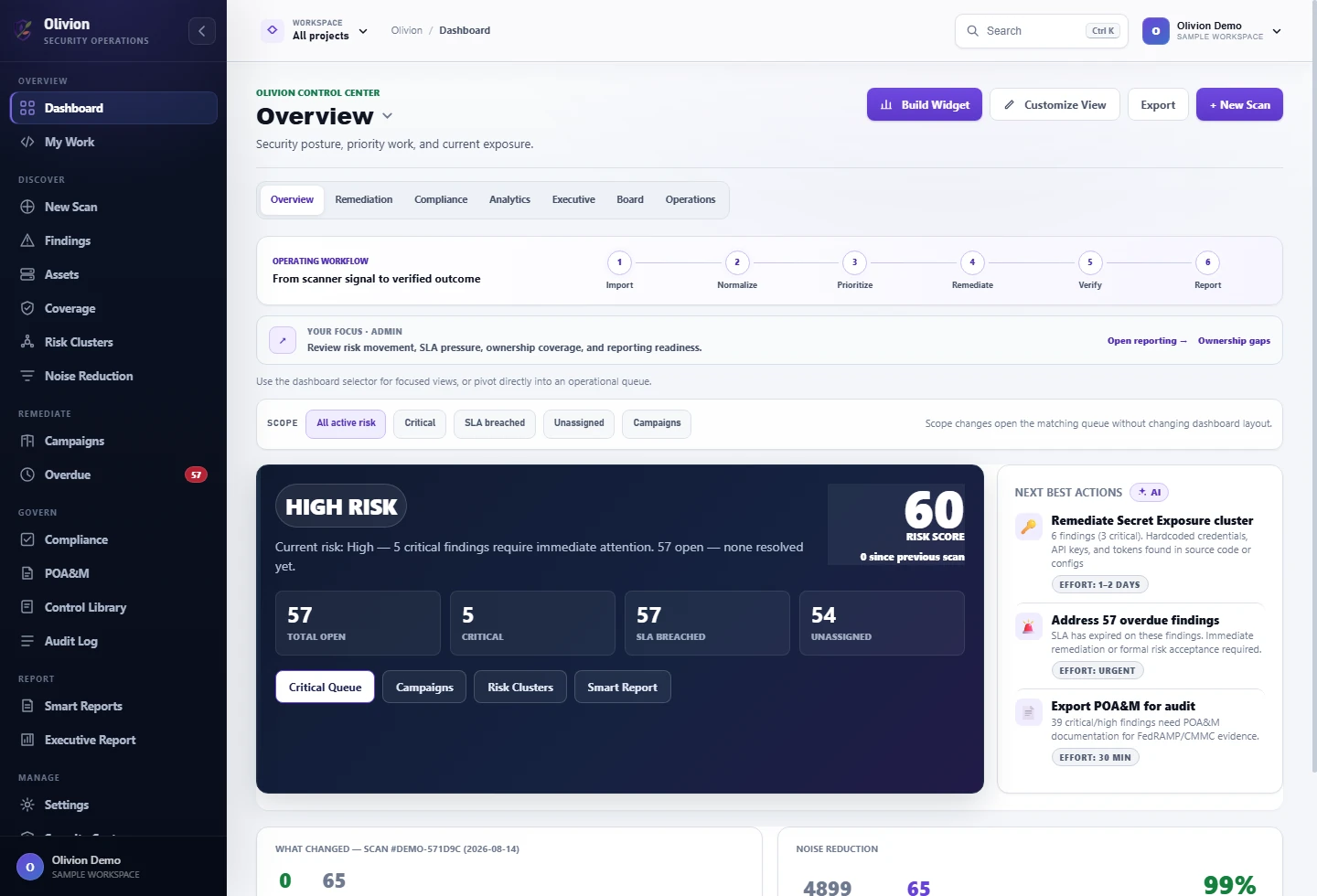
Stop managing vulnerabilities from scattered reports.
Olivion by FirstSide gives security teams one place to prioritize findings, route fixes, prove remediation, and explain posture to customers, auditors, and leadership.
A product story buyers can understand in seconds.
Olivion connects the people who care about risk: security gets prioritization, developers get clear remediation, compliance gets evidence, and leadership gets posture.
Risk reduction trend
Developer queue
Scanners find issues. Teams still need a system to get them fixed.
The gap is not detection. It is prioritization, ownership, proof, and reporting across every scanner and stakeholder.
Scanner overload
Every scanner creates a new queue. Olivion brings them into one normalized remediation workflow.
Risk without context
Severity alone does not show reachability, ownership, business impact, compliance pressure, or whether a fix is overdue.
Evidence gaps
Without proof-of-fix, comments, status history, and exports, teams struggle to show auditors and customers what changed.
Turn security findings into accountable outcomes.
Olivion gives each stakeholder the right view of the same security truth: security sees risk, developers see work, compliance sees evidence, and leaders see posture.
Without Olivion
Teams export CSVs, manually merge scanner output, chase owners in chat, rebuild POA&M spreadsheets, and explain posture from stale data.
With Olivion
Findings are normalized, prioritized, mapped, assigned, tracked, and reported from one workflow built around remediation and proof.
Everything needed to move from alert to verified remediation.
Olivion makes scanner data useful across remediation, compliance, executive reporting, and customer trust conversations.
Risk intelligence and prioritization
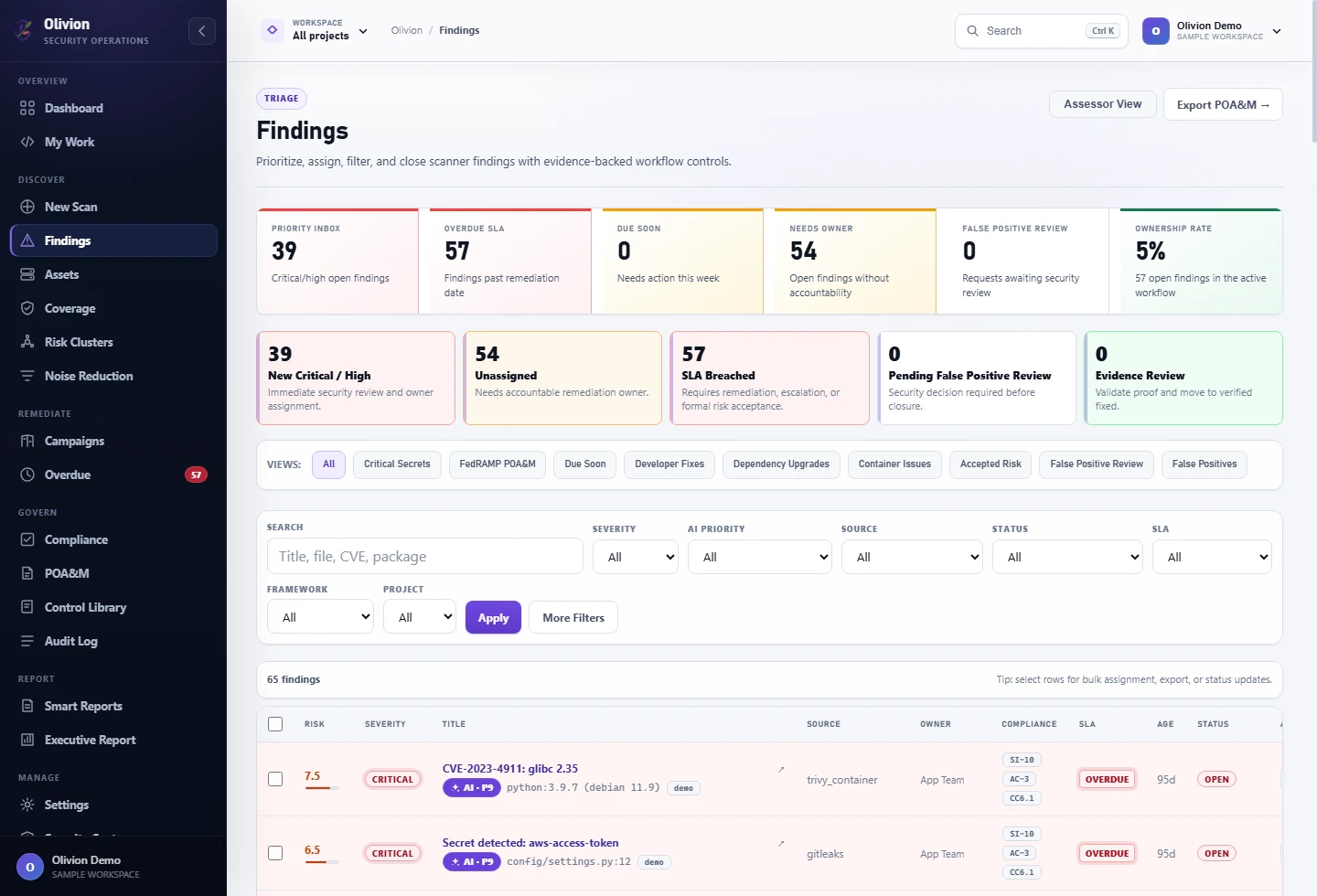
Rank work using severity, exploitability, ownership, SLA, asset, and compliance context.
Noise reduction
Reduce duplicate, stale, low-value, and test-path noise before it slows down teams.
Remediation queue
Give teams a focused queue with commands, proof requirements, and ownership.
Compliance mapping
Map findings to NIST 800-53, SOC 2, PCI DSS, CMMC, STIG, and FedRAMP reporting views.
Executive reporting
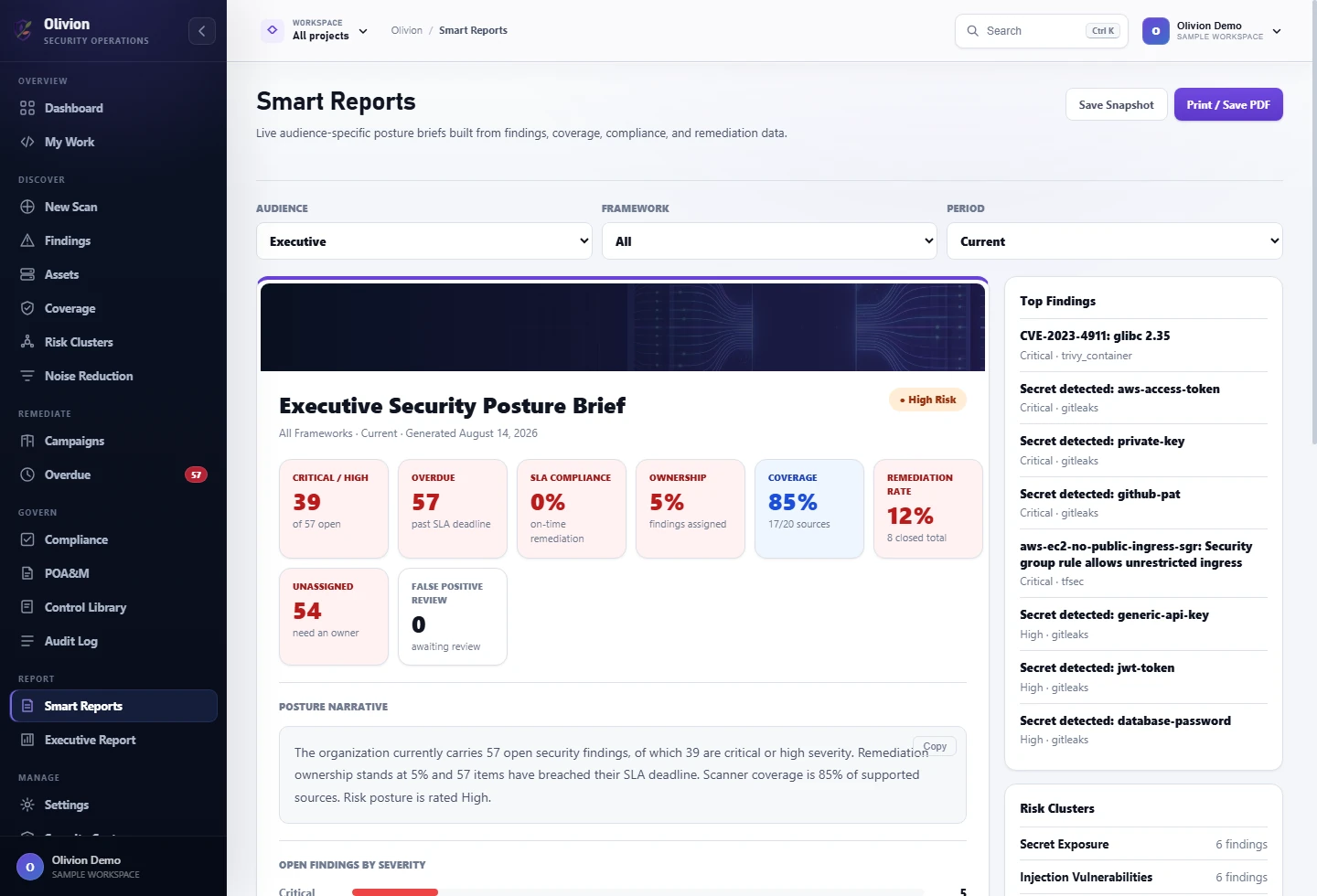
Summarize risk, ownership coverage, aging, clusters, and top findings in a leader-friendly report.
Proof of fix
Track comments, evidence, audit log entries, status changes, and exports from one finding record.
Every section supports a real security workflow.
The app is organized around the work teams actually need to do after scanners find issues.
Built as the remediation layer your scanners are missing.
Enterprise platforms can be heavy. Olivion focuses on making scanner output useful fast: prioritize it, assign it, prove it, and report it.
Scanner-neutral hub
Instead of asking teams to replace scanners, Olivion turns existing outputs into one prioritized queue with deduplication, ownership, and evidence tracking.
Executive-ready by default
Dashboards, smart reports, SLA state, and POA&M exports make the product valuable beyond the analyst workflow.
Remediation operating system
Developer queue, proof-of-fix, comments, audit trail, and integrations make findings actionable instead of becoming another static report.
From upload to board report in one workflow.
Import scans
Upload supported scanner reports or push data through the API.
Triage risk
Deduplicate and score findings with source, asset, SLA, and compliance context.
Route fixes
Assign owners, create tickets, track comments, and collect evidence.
Report posture
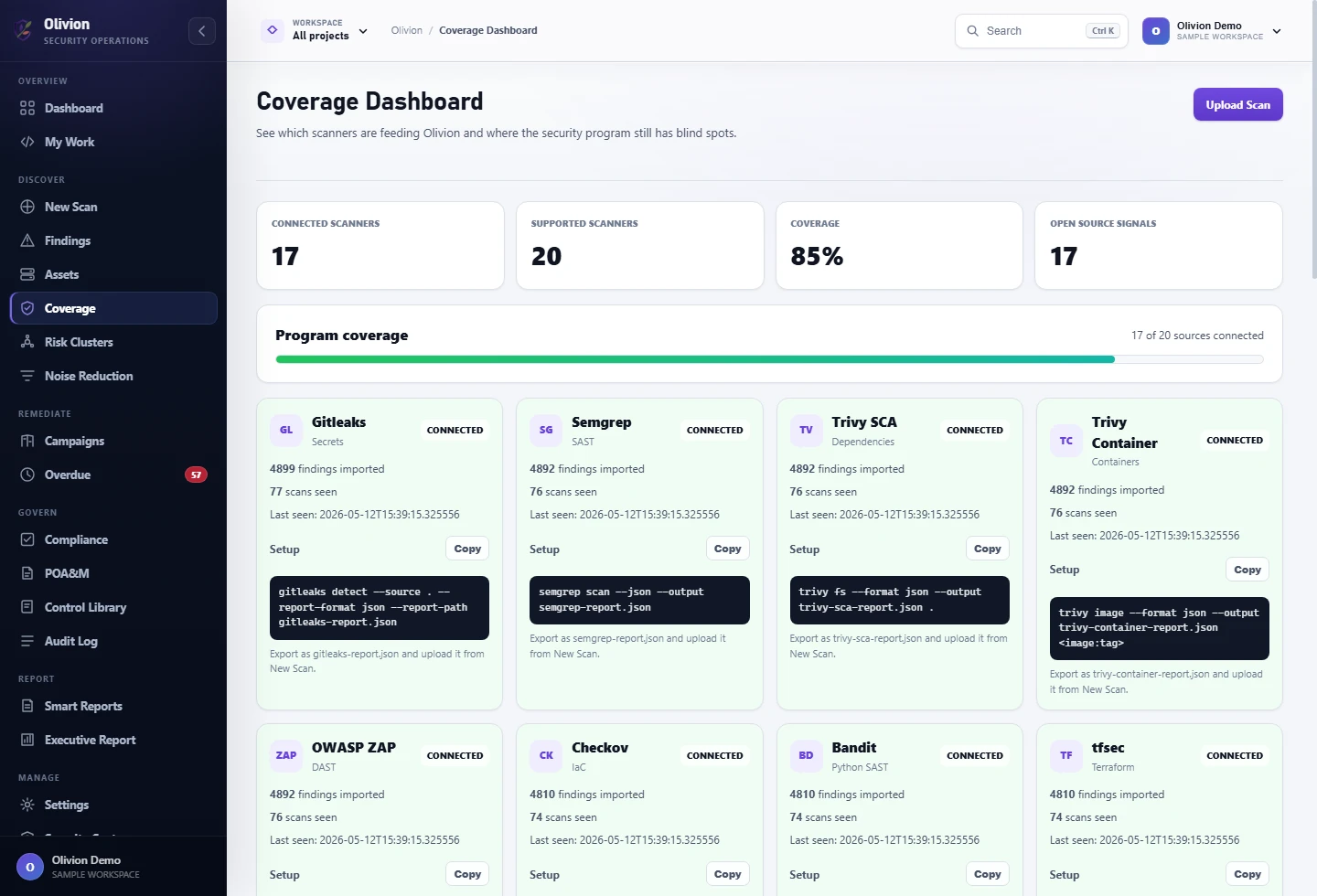
Export POA&M and review executive, coverage, and compliance dashboards.
Bring the tools you already use.
Start with common application, container, secret, infrastructure, and cloud security scanners.
Make the value obvious in the first walkthrough.
Use sample data to show risk scoring, filtering, remediation playbooks, POA&M, executive reporting, and Smart Reports without spending provider credits.
What a walkthrough covers
Start with a focused pilot. Expand when the workflow proves itself.
Use sample data first, then bring in real scanner output, users, and reporting requirements.
Beta
- Sample data and manual uploads
- Core dashboards and reports
- Best for early feedback
Team
- Multiple users and roles
- Developer queue and evidence tracking
- POA&M and Smart Reports
MSP / Enterprise
- Multiple client workspaces
- Private deployment support
- Compliance and reporting workflows
Buyers should not have to guess how it works.
Scanner setup
Accepted filenames, supported formats, sample reports, and API import paths are documented so pilots start quickly.
Deployment options
Run fast pilots on Railway or deploy privately with production secrets supplied through environment variables.
Privacy stance
Explain what report data is stored, what is sent to intelligence triage, and how evidence files are handled.
Designed for teams that need evidence.
Security controls
Operational controls
Common questions.
Is Olivion a scanner?
Today it is a findings management, remediation, evidence, and posture reporting layer. It imports scanner output instead of replacing scanners.
Does demo mode use provider credits?
Demo mode uses local sample reports and mock triage so walkthroughs do not spend provider credits.
Can it support audits?
Yes. It tracks POA&M exports, control mappings, evidence, status changes, comments, and audit logs.
Can it run privately?
The app is designed for private deployment with production secrets configured through environment variables.
See what Olivion can do with your scanner workflow.
Send a note and we can walk through a demo, review your scanner mix, or map the reports your team needs for audits and customers.